
Call us at +1.800.747.3565
IISADMPWD Replacement Tool Software Box

IISADMPWD Replacement Tool

  • Allow users to change AD passwords from your custom web apps
  • Replaces the Microsoft® IISADMPWD utility
  • Runs on IIS 7 and later
Evaluate Web Active Directory Self-service Management Solutions and Tools Contact Web Active Directory about our Active Directory Self-service Management Solutions and Tools

IISADMPWD Replacement Tool: Allow Users to Change Passwords on IIS 7 and Later

Web Active Directory engineered a replacement solution for the Microsoft® IISADMPWD utility because the legacy Microsoft release of IISADMPWD does not support IIS 7 and later. Many organizations employed the IISADMPWD tool with IIS 5 and IIS 6 to allow password changes in Active Directory from web applications. With the release of IIS 7 and its architectural and security changes from previous versions of IIS, the old IISADMPWD tool no longer works. In fact, Microsoft doesn’t even support IISADMPWD on IIS 7 and later. Our solution allows users to change their AD password from a web page without requiring changes to your IIS 7 web application.

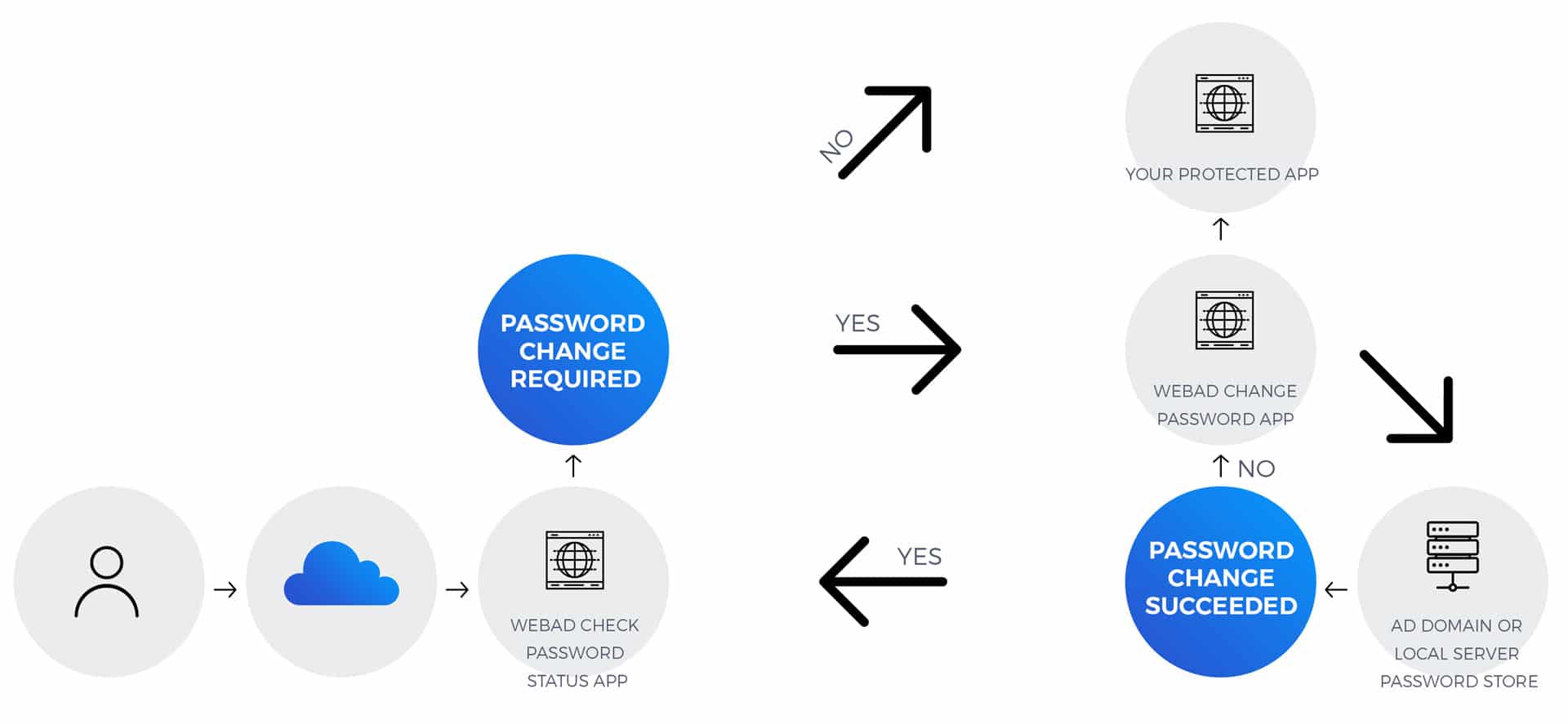
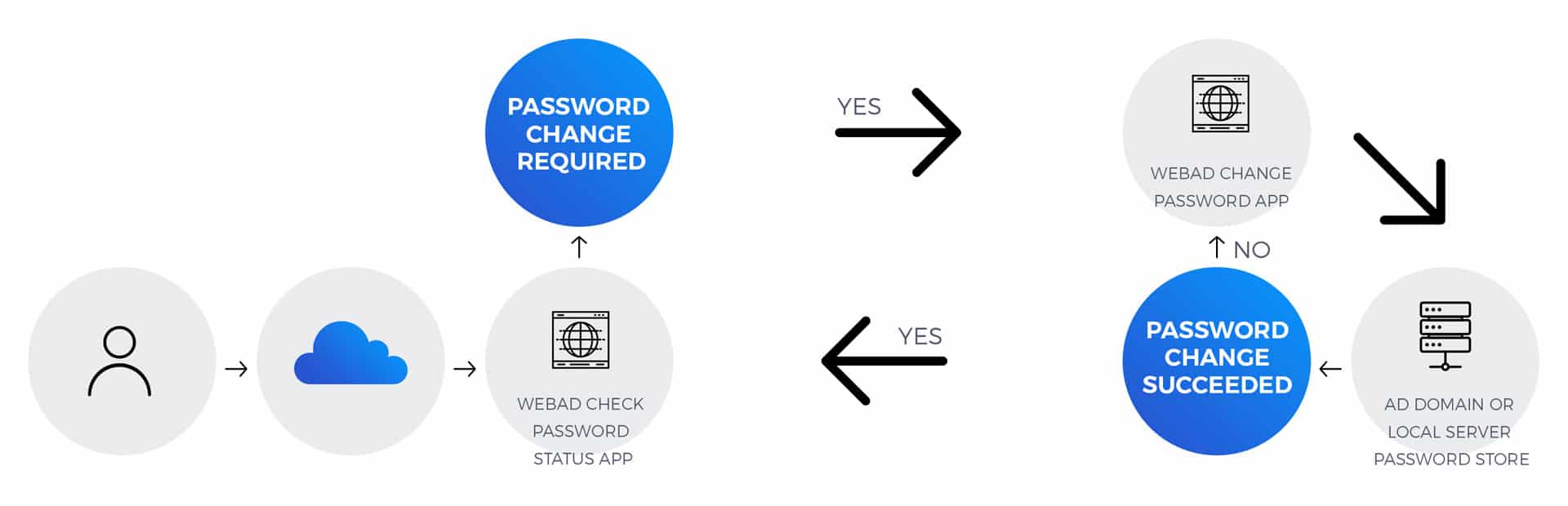
IISADMPWD Replacement Tool sits in front of your web application and checks the password status for a user before routing them to your web application. The solution comprises two simple ASP.NET web applications: one to check the password status and one to allow password changes if the password is expired or must be changed at next logon. The solution essentially acts as a front end for your web application and you can configure where the IISADMPWD Replacement Tool application redirects after it checks a user's password status.

Web Active Directory IISADMPWD Replacement Tool Application Architecture

Check out the following features and benefits that IISADMPWD Replacement Tool provides.

  • Allows Active Directory password changes when the "User must change password at next logon" flag is set
  • Uses IIS Anonymous authentication to allow users to access the web applications in IIS 7 regardless of their AD password status
  • Easily integrates with your web application
  • Includes two web applications:
    • Check Password Status: Acts as the first page of the authentication process and checks the Active Directory password status for a user to determine if the password must be changed
    • Change Password: Allows users to change their AD password
  • Redirects the user to your web application after the password status check completes and no password change is needed
  • Allows your web application to authenticate the user with your normal scheme
  • Can use an HTML redirector file to redirect clients with HTTP 401.1 errors (Access is denied due to invalid credentials)
  • Requires no changes to your web application configuration and checks the AD password status before the user tries to authenticate against your application
Over 250 enterprises in 12 countries around the world trust our products to deliver what they promise…our engineers helped every customer successfully implement their solution.